
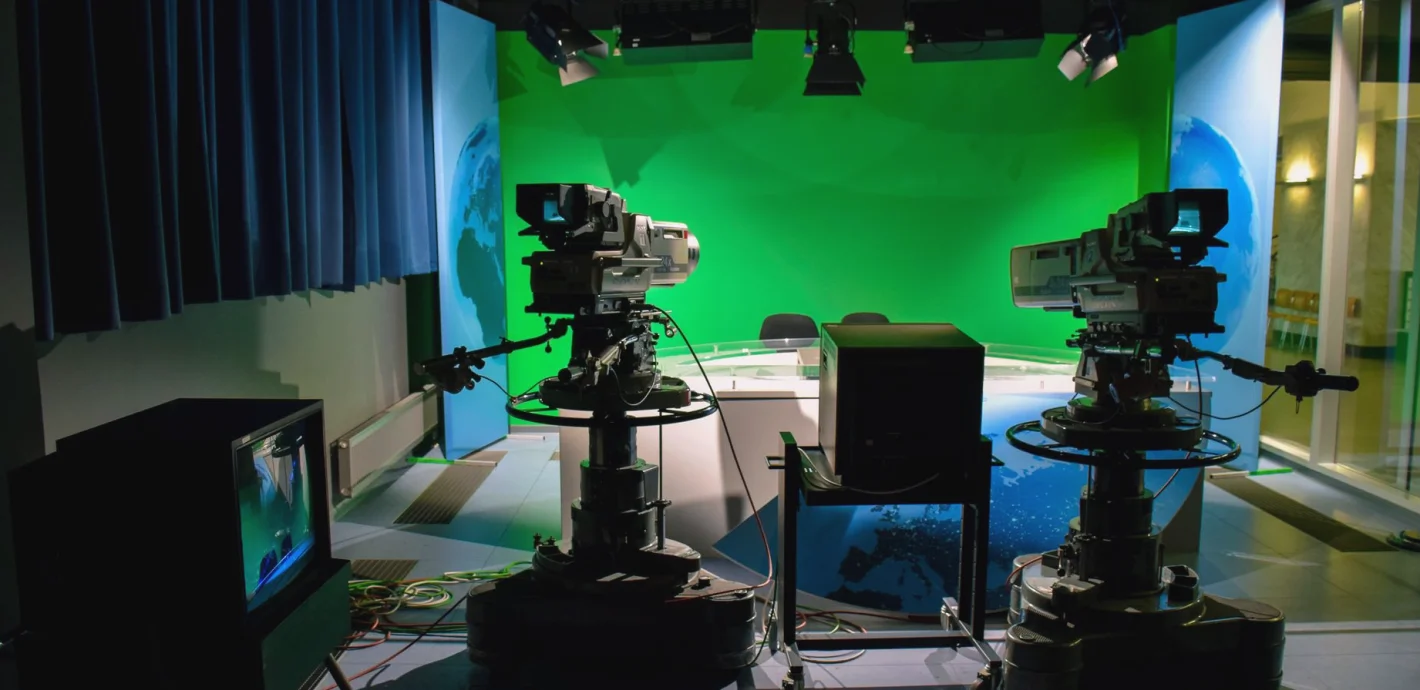
Getting Studio Cameras Ready for the Darker Months Ahead
Daniel Okafor looks at what to check on studio cameras, robotic heads and control units as the autumn schedule fills up and winter productions approach.
Why autumn is the time to look at your cameras
Most studios I speak to are busier between now and the new year than at any other point in the calendar. Seasonal programming, conference runs, awards evenings and end-of-year specials all land in the same few weeks, and the cameras that coped quietly through the summer are suddenly on air for long days. That is exactly why these weeks are the right moment to look at the camera chain, before the schedule leaves no room for it.
A camera system rarely fails in a dramatic way. It drifts. A zoom demand that was smooth in June now hesitates, a control cable has picked up a kink where it crosses a trolley route, and a camera control unit settings file no longer matches what the operators actually use. None of this stops a show, but each item takes a little confidence away from the crew.
The advice here comes from commissioning and reviewing studio camera systems, and it is meant as a practical checklist for the coming months, not a replacement for the maker's own maintenance guidance.
Start with what has changed in the room
Before touching any equipment, walk the studio with the production calendar in your hand. Ask what is different from the last time the camera positions were set. Has a new set been built that blocks a familiar shot? Is a guest presenter taller or sitting further from the desk than the usual hosts? Are there more camera moves planned than before?
Camera advice only makes sense against real use. A pedestal camera that worked well for a seated panel may be awkward for a standing walk-and-talk, and a robotic head that was perfect for a fixed presenter position may need new stored shots once the set is dressed for the season.
I like to write down, camera by camera, what each one is expected to do over the next three months. It takes half an hour, and it turns a vague worry into a short list of things to check, adjust or ask a specialist about.
- Note any new set pieces that change sightlines
- List camera moves planned for the coming schedule
- Mark positions where cable runs cross crew routes
Robotic heads and stored positions
Robotic heads are wonderful for small crews, but they reward routine care. Over a long run of days the stored positions can shift slightly, especially if a pedestal or column has been nudged during a set change. A shot that was framed perfectly in the morning can be a few centimetres off by evening, and the operator may not notice until a presenter's headroom looks wrong.
I suggest a short reset routine at the start of each production day: recall each stored shot, compare it against a reference frame or a taped floor mark, and correct anything that has drifted. Save corrections under clear names so the next crew can follow them.
Pan and tilt movement should be smooth at slow speeds in particular, because slow reveals expose any stiffness. If a head judders at low speed, it is worth raising with the supplier early rather than discovering it during a live opening sequence.
Camera control units and consistent pictures
Shorter days and darker evenings change how a studio feels, and sometimes how it is lit. Daylight spilling through a loading door or a high window may have quietly helped a set through the summer. As that light disappears, colour balance and exposure settings that once looked right can need revisiting.
This is where the camera control unit earns its place. Check that every camera is matched to the others on a common reference, that the engineer or vision operator knows which settings file is current, and that older files are archived rather than left in a list where someone might recall them by mistake.
Matching matters more than perfection. Viewers forgive a slightly warm picture far more readily than a shot that cuts from one camera to the next and changes skin tone. Spend time on consistency across the whole line-up, then refine individual cameras afterwards.
- Confirm one agreed reference for colour matching
- Archive outdated settings files clearly
- Check tally and intercom behave on every camera
Cables, connectors and the small things that fail
When a camera misbehaves in the middle of a production, the cause is more often a connector than a circuit board. Studios with a lot of rolling and repatching see wear at the plug ends: loose locking rings, bent pins, strain on the cable just behind the connector. Cooler, damper weather also brings condensation when equipment moves between a cold van and a warm studio, so give anything that has travelled a little time to settle before powering it up.
Walk the cable runs while the studio is quiet. Look for flattened sections, tape that has dried out and lifted, and labels that have worn off. A clear label on both ends of every run saves minutes at the worst possible moment.
Keep a small spares kit within reach of the floor: a few tested cables, spare adaptors, batteries and a lens cleaning kit. It is not glamorous, but it turns a stoppage into a short pause.
Deciding what to fix now and what to plan for later
Once the checks are done, sort the findings into three groups: things that must be corrected before the next busy production, things that can wait for a quieter week, and things that point to a bigger decision such as replacing a head or rethinking camera positions.
The third group is where outside advice is most useful. If a camera position keeps causing awkward shots, the answer may be a small change to the floor plan rather than new equipment. If a control system no longer suits the way your crew works, it is cheaper to talk it through before the new year than to patch around it for months.
Our camera systems advice covers specification and setup guidance for studio cameras, robotic heads and camera control units. Often a single conversation about your actual schedule is enough to separate the urgent from the optional.
- Fix before the next busy production
- Schedule for a quieter week
- Raise as a larger specification question
A little attention to cameras in these weeks pays back through the winter. Compare the room with the schedule, reset stored positions, match your pictures, tidy cables and spares, and sort what you find into urgent and later. If something on your list needs a second opinion, get in touch through the contact page and we will talk through your studio and your plans.
Daniel Okafor
Camera Systems EngineerDaniel specifies and commissions camera and control systems for studios and outside broadcasts.